LEARN
9 min read
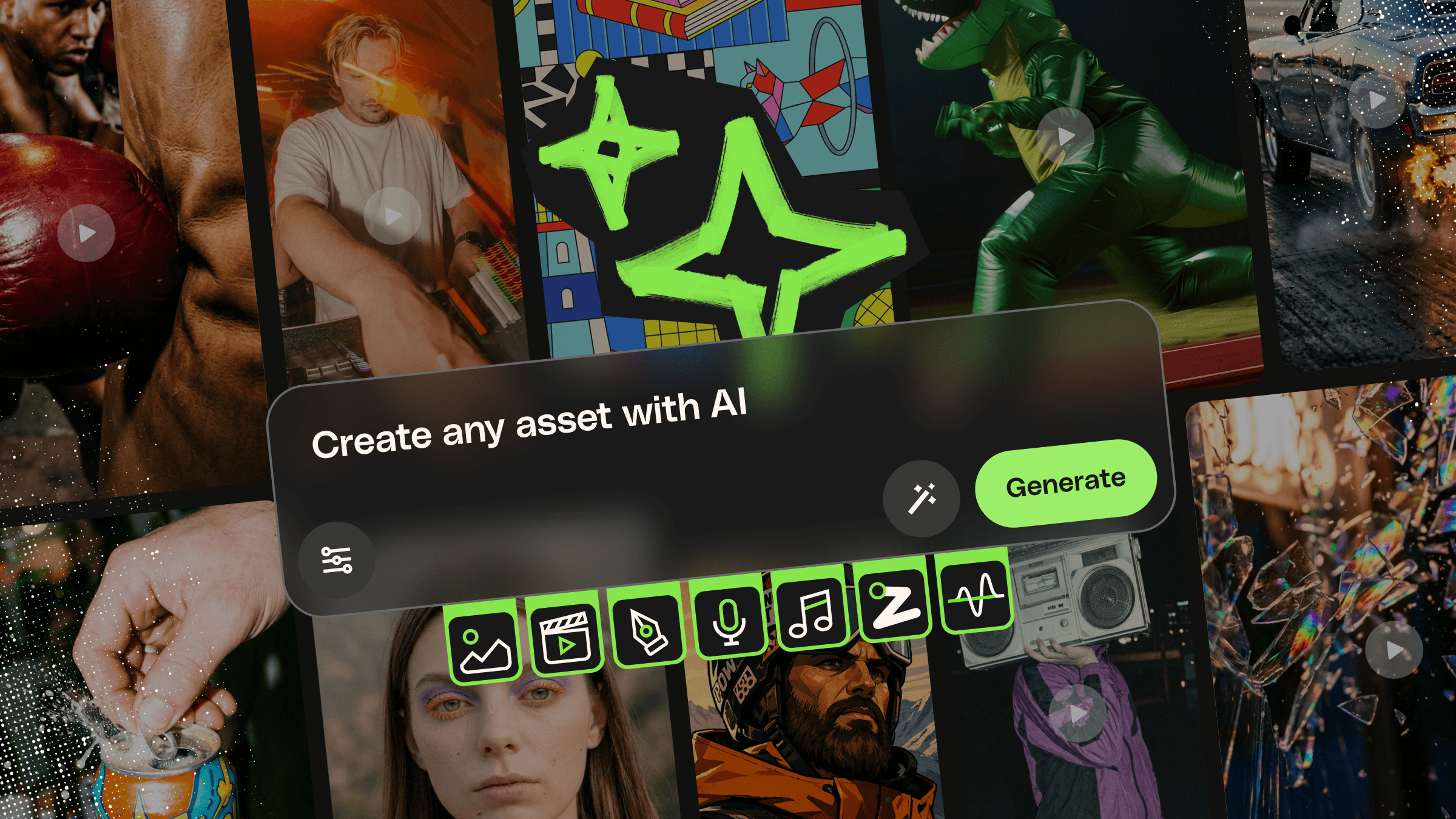
AI tools are everywhere. The hard part isn’t finding them — it’s figuring out which ones actually fit into a real creative workflow without adding more tabs, more subscriptions, or more complexity to your day.
That’s where Envato’s AI tools come in.
Envato’s AI tools are designed around the way creatives already work: generating ideas, refining visuals, building custom videos, shaping audio, and producing content faster without sacrificing creative control.
Whether you’re creating YouTube videos, social campaigns, product mockups, branded visuals, presentations, online courses, motion content, or beyond, Envato’s AI tools give you a connected set of creative workflows inside a single subscription.
In this guide, we’ll walk through everything currently included in Envato’s AI ecosystem, what each tool is best at, how they work, and when to use them.
What you need to know
Envato’s AI tool suite includes AI video generation, image generation, image editing, graphics creation, music generation, sound effect generation, and AI voiceovers — all built for creative workflows.
The ecosystem is designed to help you move from idea to production faster using prompt-driven tools, automatic AI model orchestration, and commercially usable outputs.
What are Envato AI tools?
Envato AI tools are a collection of generative AI creative tools available inside the Envato experience. They’re designed to help creatives generate, edit, refine, and experiment with visual and audio content using natural language and image prompts rather than complex production workflows.
The ecosystem is built around practical creative use cases:
Creating videos faster
Generating concept art and graphics
Editing images
Producing voiceovers
Creating original music
Designing custom sound effects
Exploring ideas quickly without heavy production setup
Powered by the latest AI models — without the complexity
One of the biggest challenges with modern AI tools is keeping up with the models themselves.
New image, video, audio, and voice models appear constantly, each with different strengths, interfaces, and workflows. Some are better at cinematic video, others at realistic imagery, audio generation, stylized graphics, or natural-sounding narration.
Envato’s AI ecosystem is designed to remove that complexity.
Instead of requiring you to choose and manage individual AI models manually, Envato’s tools handle model orchestration behind the scenes. Your prompts are automatically routed to the most suitable systems for the task, helping you focus on the creative direction rather than the technical setup.
The ecosystem is powered by advanced AI models from providers such as Google, OpenAI, ByteDance, ElevenLabs, and more, with new technologies integrated as the landscape evolves.
That means you can experiment with cutting-edge AI capabilities across video, imagery, graphics, voice, music, and sound generation without constantly switching tools or researching which model to use for every creative task.
For most creatives, that leads to a simpler workflow:
Less technical overhead
Fewer disconnected tools
Faster iteration
More time actually creating
The Envato AI ecosystem at a glance
Here’s a quick overview of the current AI tools available inside Envato.
Tool | Best for | Main output |
Video Generator | Cinematic AI video generation | Video clips |
Image Generator | AI-generated imagery and concept visuals | Images |
Image Editor | Editing and refining images | Enhanced images |
Graphics Generator | Illustrations, icons, vectors, branded graphics | Graphic assets |
Music Generator | Royalty-free AI music | Music tracks |
Sound Generator | AI sound effects and ambience | Sound effects |
Voice Generator | AI narration and voiceovers | Spoken audio |
Video Generator: AI video generation for creatives
Video Generator is Envato’s AI video generator, designed for creatives who want to create fast, cinematic videos directly in their browser.
Video Generator turns prompts and reference images into short video clips using multiple advanced AI video models behind the scenes.
The tool is especially useful for:
Mood pieces and concept visuals
Short-form social content
Stylized motion clips
Visual prototyping
Creative experimentation
Supporting b-roll generation
Early-stage scene ideation
Video Generator can also support optional audio generation, allowing you to create clips with ambiance, speech, or sound effects directly during generation.
If you want a deeper breakdown of prompts, models, workflows, and creative use cases, explore the full AI video generator guide.
Image Generator: AI image generation for visual ideation
Image Generator focuses on creating original AI-generated visuals from prompts and reference inputs.
This is the tool you reach for when you need to quickly explore visual directions, generate scenes, prototype concepts, or create entirely new imagery without starting from scratch.
Image Generator can support workflows like:
Concept art
Editorial-style imagery
Marketing visuals
Moodboards
Product visuals
Creative exploration
Social media graphics
Branded visual experimentation
The experience is designed to feel accessible rather than overly technical. You describe the image you want, guide the mood or composition, and generate multiple creative directions in seconds.
Like other tools in the ecosystem, Image Generator benefits from Envato’s multi-model orchestration, which automatically routes prompts to the most suitable AI systems behind the scenes.
This matters because different generations require different strengths. A cinematic portrait, a stylized illustration, and a polished product render all require different capabilities, but the workflow remains simple from the user's perspective.
If you want to dive deeper into prompting strategies and image generation workflows, the AI image generator guide covers the full process.
ImageEdit: Fast, prompt-driven image refinement
Generating an image is one thing. Refining it is where most creative work actually happens.
Envato’s AI image editor is built around that idea.
Rather than relying on complex masking, retouching, or manual cleanup workflows, the editor lets users guide edits with prompts and smart automation. You describe the change you want, generate variations, and continue refining from there.
The AI image editor is especially useful for:
Background removal
Object cleanup
Image expansion
Upscaling
Lighting improvements
Product photography refinement
Reframing visuals for different formats
Social media adaptation
One of the biggest advantages is accessibility. Tasks that traditionally required advanced editing knowledge can now be handled in minutes using conversational editing workflows.
For example, you might prompt the editor to:
“Remove the woman from the background”
“Expand this image horizontally for a website hero”
“Improve sharpness while keeping the image natural”
“Swap the jacket the model is wearing for the one in my reference photo”
If you want examples, editing workflows, and prompt ideas, the full AI image editor guide explores the tool in detail.
Graphics Generator: AI graphics and illustration generation
Graphics Generator is designed for creating graphic-style assets rather than purely photographic imagery.
That includes:
Icons
Illustrations
Vector-style artwork
Branded graphics
Graphic concepts
Editorial visuals
Design exploration
This makes Graphics Generator particularly useful for creatives who need visuals that feel designed rather than purely photorealistic.
One of the biggest strengths of Graphics Generator is flexibility. Users can generate visuals from prompts, guide outputs with styles, use reference images, and iterate rapidly without constantly restarting projects from scratch.
Built-in styles also help speed up creative exploration by providing users with a consistent aesthetic direction early in the process.
Like other Envato AI tools, Graphics Generator uses automatic model orchestration in the background to match prompts with the most suitable AI systems.
The tool is designed around production-ready creative workflows rather than novelty generation. That means the focus stays on assets creatives can realistically use in marketing, branding, content creation, and client work.
For prompt examples, generation tips, and workflow breakdowns, check out the AI graphics generator guide.
Music Generator: AI-generated royalty-free music
Music Generator is Envato’s AI music generator, built to help creators generate original royalty-free music tracks from simple prompts.
Instead of scrolling endlessly through stock music libraries trying to find “something upbeat but not too upbeat,” you can describe the type of track you need directly.
Music Generator is particularly useful for:
YouTube background music
Podcast intros and outros
Social media clips
Presentation videos
Ads and promotional content
Mood-based soundtracks
Corporate media
Users can guide outputs using prompts and optional settings like:
Mood
Genre
Tempo
Energy
Themes
Lyrics
This allows creatives to move quickly from concept to usable soundtrack without opening a traditional Digital Audio Workstation or building tracks manually.
Music Generator focuses on supporting broader creative projects rather than standalone music distribution. The generated music is designed to be used in videos, podcasts, ads, presentations, and other media.
For a deeper look at prompting, use cases, and music workflows, visit the AI music generator guide.
Sound Generator: AI-generated sound effects
Sound Generator focuses on AI-generated sound effects rather than music composition.
Instead of searching through large stock libraries for the “almost right” sound effect, users can simply describe the sound they want and generate it directly.
That could include prompts like:
“Rain hitting a tin roof”
“Footsteps in a wet tunnel”
“Cosmic ambient drone”
“Door creaking open slowly”
Sound Generator then generates original sound effects using AI audio models.
The tool supports:
Custom sound effect generation
Ambient loops
Foley-style effects
Gaming sound design
Podcast transitions
Video editing sound effects
Atmosphere creation
One especially useful feature is adjustable AI influence. Users can choose whether the system should follow the prompt closely or explore more creative variations and “happy accidents.”
Advanced controls also allow refinement of:
Stereo width
Reflection and ambience
Surface textures
Rhythm
Environmental scale
This gives users more control than a simple “generate and hope” workflow.
For a full breakdown of features and workflows, explore the Sound Generator guide.
Voice Generator: AI voiceovers and narration
Voice Generator is Envato’s AI voice generator, designed to turn written scripts into natural-sounding narration quickly.
Instead of managing recording sessions or waiting for revisions, you can generate voiceovers directly from text prompts and scripts.
Voice Generator is useful for:
YouTube narration
Explainer videos
Online courses
Product walkthroughs
Marketing videos
Social media ads
Internal training content
Modern AI voice generation has evolved dramatically from older robotic text-to-speech systems. Voice Generator uses advanced AI voice models trained on real speech patterns, allowing narration to sound much more natural and expressive.
One of the biggest advantages is scalability. If you’re producing ongoing content series, you can maintain consistent narration styles across multiple projects without repeatedly booking voice talent or re-recording edits manually.
It also makes iteration dramatically faster. If a script changes, you can simply update the text and regenerate the narration.
For a deeper overview of AI voice workflows and use cases, visit the AI voice generator guide.
Which Envato AI tool should you use?
If you’re not sure where to start, this quick breakdown can help.
If you want to… | Use this tool |
Generate cinematic video clips | Video Generator |
Create original AI imagery | Image Generator |
Edit or enhance existing images | AI Image Editor |
Generate illustrations and graphics | Graphics Generator |
Create background music | Music Generator |
Generate sound effects | Sound Generator |
Create narration and voiceovers | Voice Generator |
The good news is you don’t need to learn everything at once. Most creatives naturally start with the tool closest to their existing workflow, then branch into the rest of the ecosystem over time.
Why stock + AI works better together
Many AI workflows start with a blank prompt.
That can be exciting, but it can also be unpredictable. You might spend more time trying to steer the AI toward the result you actually want than creating the final asset itself.
Envato’s ecosystem works differently because AI isn’t separated from the creative asset library — it’s built around it.
Instead of starting from scratch, you can use high-quality stock photos, videos, graphics, and design assets, then leverage AI tools to adapt, refine, extend, remix, or transform them into something tailored to your project.
That combination of stock + AI is one of the ecosystem’s biggest strengths.
Edit stock photos directly with AI
One of the clearest examples is the connection between Envato’s stock library and the AI Image Editor.
When browsing supported stock photos, you can click Edit with AI directly from the asset page and open the image instantly inside the AI Image Editor. From there, you can modify the image using prompts and smart editing tools without first exporting it into a separate program.
That makes it much easier to take a strong starting image and adapt it to fit your exact needs.
For example, you can:
Change clothing styles or colors
Replace or remove distracting background elements
Clean up unwanted objects
Expand images for banners or hero sections
Reframe visuals for social formats
Improve lighting and sharpness
Create alternate versions for campaigns
Make stock images feel more brand-specific
Instead of searching endlessly for a “perfect” stock image, you can start with a close match and refine it with AI in minutes.
That changes the workflow completely. AI becomes less about replacing creative assets and more about making them flexible.
Use stock assets as high-quality AI references
The same idea extends into Image Generator, Video Generator, and Graphics Generator workflows.
Many Envato AI tools support reference-based generation, in which uploaded visuals guide the final output. That means you can use stock assets from Envato’s library as creative foundations for AI generation instead of relying entirely on text prompts.
For example, you might:
Use a stock portrait as the basis for stylized AI artwork
Upload a product image to guide a marketing visual
Reference a stock landscape for cinematic video generation
Use stock photography to maintain lighting or composition consistency
Start with an existing design aesthetic instead of generating randomly from scratch
This often leads to more controlled, production-ready results because the AI has stronger visual guidance from the outset.
In practice, it also speeds up experimentation. Instead of trying to describe every tiny detail in a prompt, you can combine visual references with prompts to guide the direction more naturally.
That’s especially useful for:
Brand consistency
Campaign development
Mood matching
Character continuity
Product marketing
Social content adaptation
Multi-format creative production
AI works best when creatives stay in control
One of the most interesting aspects of Envato’s ecosystem is that its workflow doesn’t treat AI and stock assets as competing ideas.
They support each other.
Stock assets provide structure, consistency, quality, and creative foundations. AI tools provide flexibility, speed, iteration, and transformation.
Together, they create workflows that feel much closer to how real creative production already works:
Starting with references
Refining ideas
Adapting assets
Testing variations
Iterating quickly
Shaping visuals toward a final creative direction
That balance between strong source material and flexible AI generation is what makes the ecosystem feel practical rather than experimental.
How the tools fit together
While each tool works independently, the ecosystem becomes especially powerful when used together.
For example, you might:
Generate concept visuals in Image Generator
Refine them using the AI Image Editor
Animate scenes in Video Generator
Add narration with Voice Generator
Generate background music in Music Generator
Create atmosphere and transitions in Sound Generator
Or you could use a single tool for a very focused workflow. That flexibility is part of the appeal.
The ecosystem is designed to support creative experimentation without forcing users into a rigid production pipeline.
Conclusion
Envato’s AI ecosystem is designed around a simple idea: helping creatives move faster without making the creative process feel more complicated.
Instead of juggling disconnected tools, workflows, and subscriptions, the ecosystem brings together:
AI video generation
AI image generation
AI image editing
AI graphics creation
AI music generation
AI sound design
AI voiceovers
The world’s broadest stock catalog
Whether you’re experimenting with ideas, building content at scale, refining assets for client work, or simply trying to save time on repetitive creative tasks, the tools are built to support real-world creative workflows — not just AI demos.