What's new
We're constantly making Envato better. Here are the latest exciting updates.

Improvement
Search previously created license names
Reusing license names just got easier. You can now search across all your names and assign them at download.
Not in the mood to name things? No stress, you’re still fully licensed either way.
Improvement
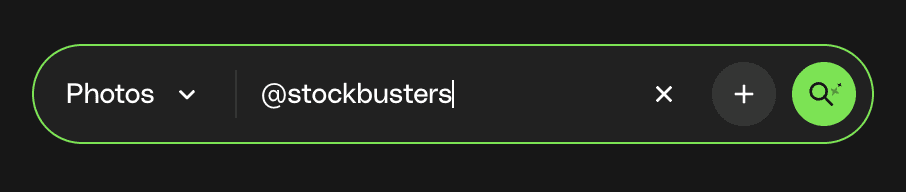
Search by author (yes, finally)
Got a favorite creator? Now you can search by author using @name to quickly find their work.
Even better—mix and match. Search across multiple authors to explore more from the creators you trust, all in one place.
New Feature
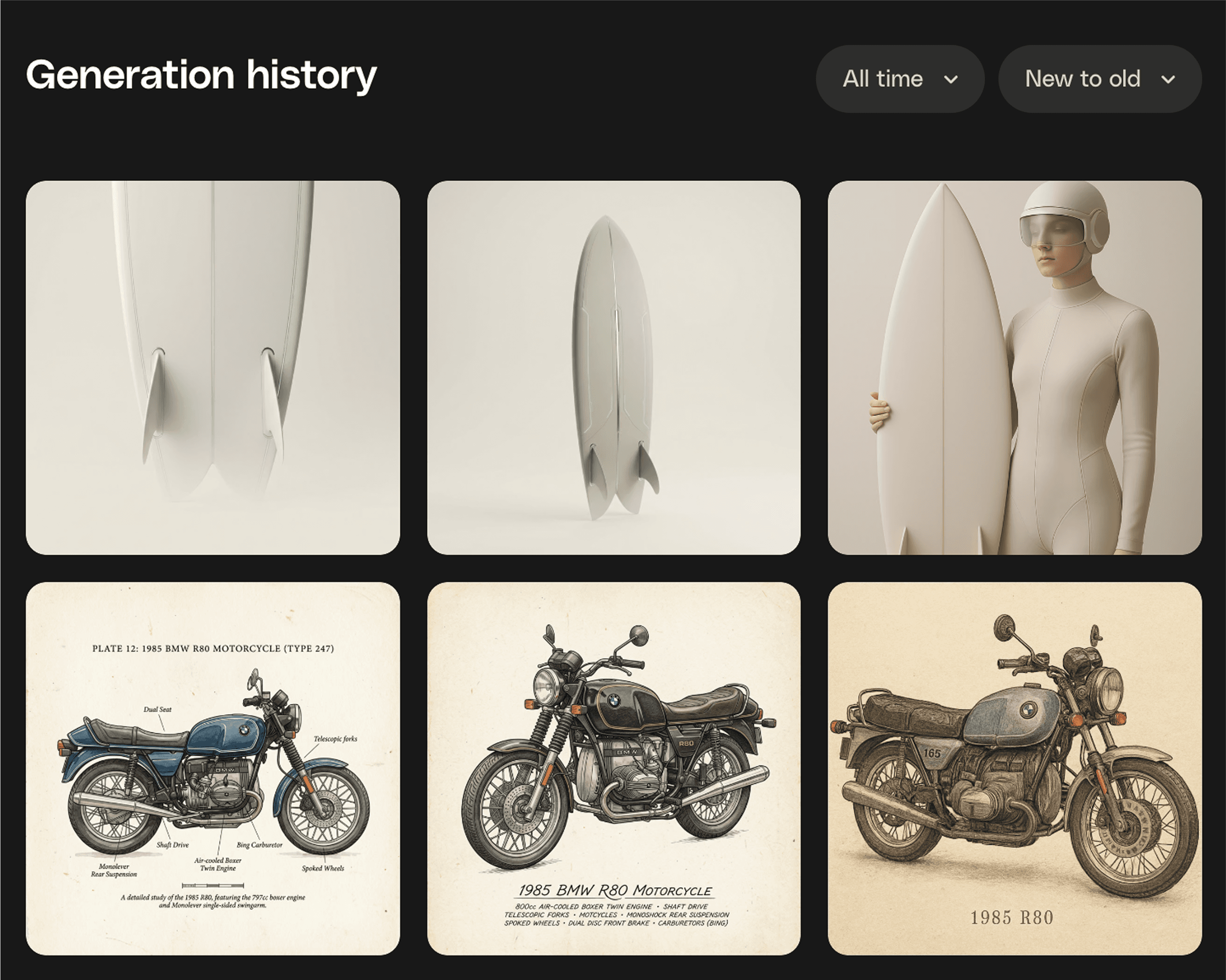
Every generation, right where you need it
Because your best ideas shouldn’t disappear into the void. Generation History puts every AI creation in one spot, ready to revisit, refine, or take somewhere new. Think of it as your creative breadcrumb trail. Follow it back, grab what works, and keep building. Download, or save it to Workspaces to stay beautifully organised.
New Feature
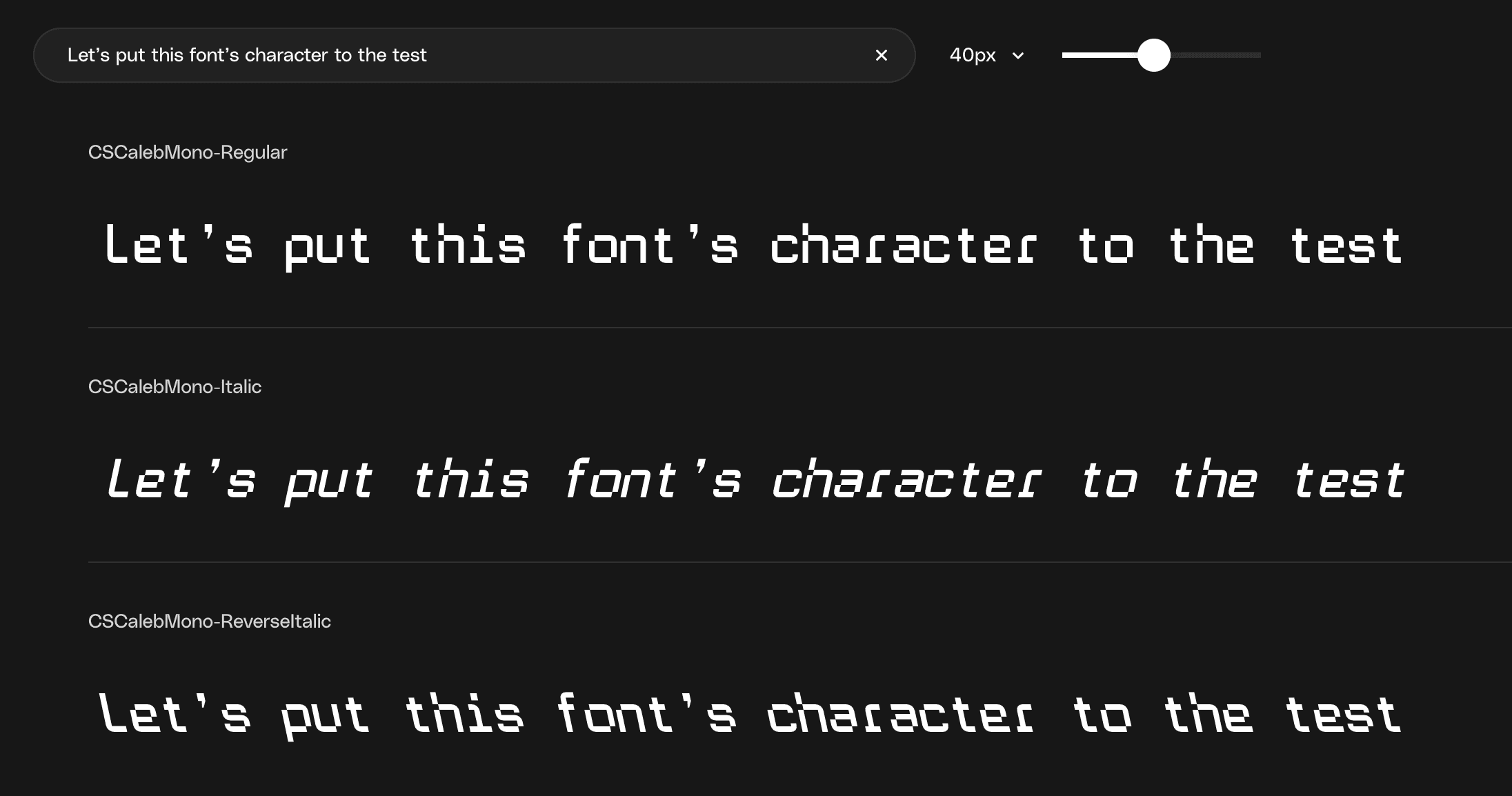
Font previews are here
You can now test fonts directly onsite before downloading. Type your own text, preview different weights, and adjust the size to see if a font fits your project. No installs or external tools needed. This makes it faster to shortlist the right font for your creative projects so you only download what you’re confident you’ll use.
Improvement
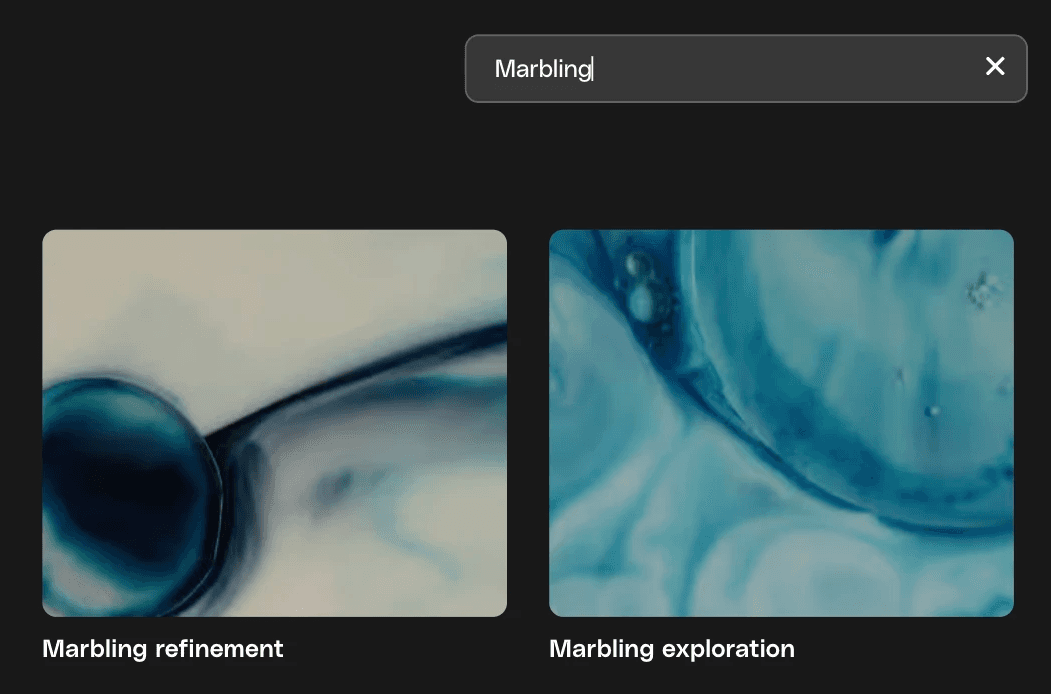
Search in Workspaces
You can now quickly search your Workspaces by name. Start typing and your Workspaces will instantly filter to show matches, so you can jump straight into the Workspace you need.
Improvement
Faster access to your saved workspace
When you save to a workspace, you’ll now see a confirmation with a link to your Workspace, so you can dive straight in and stay in your creative flow.
New Feature
Luma Ray 3.14 out on VideoGen
Luma Ray 3.14 has arrived on VideoGen, providing an upgrade to Ray 3 that's 4× faster. Improved prompt adherence and fewer artefacts means that generations are more reliable and closer to what you describe.
Ray 3 is already one of the strongest models on VideoGen for cinematic quality, and Ray 3.14 makes that same quality faster and more consistent.
New Feature
More like, less like search
Beta: More like this. Less like search 🔍
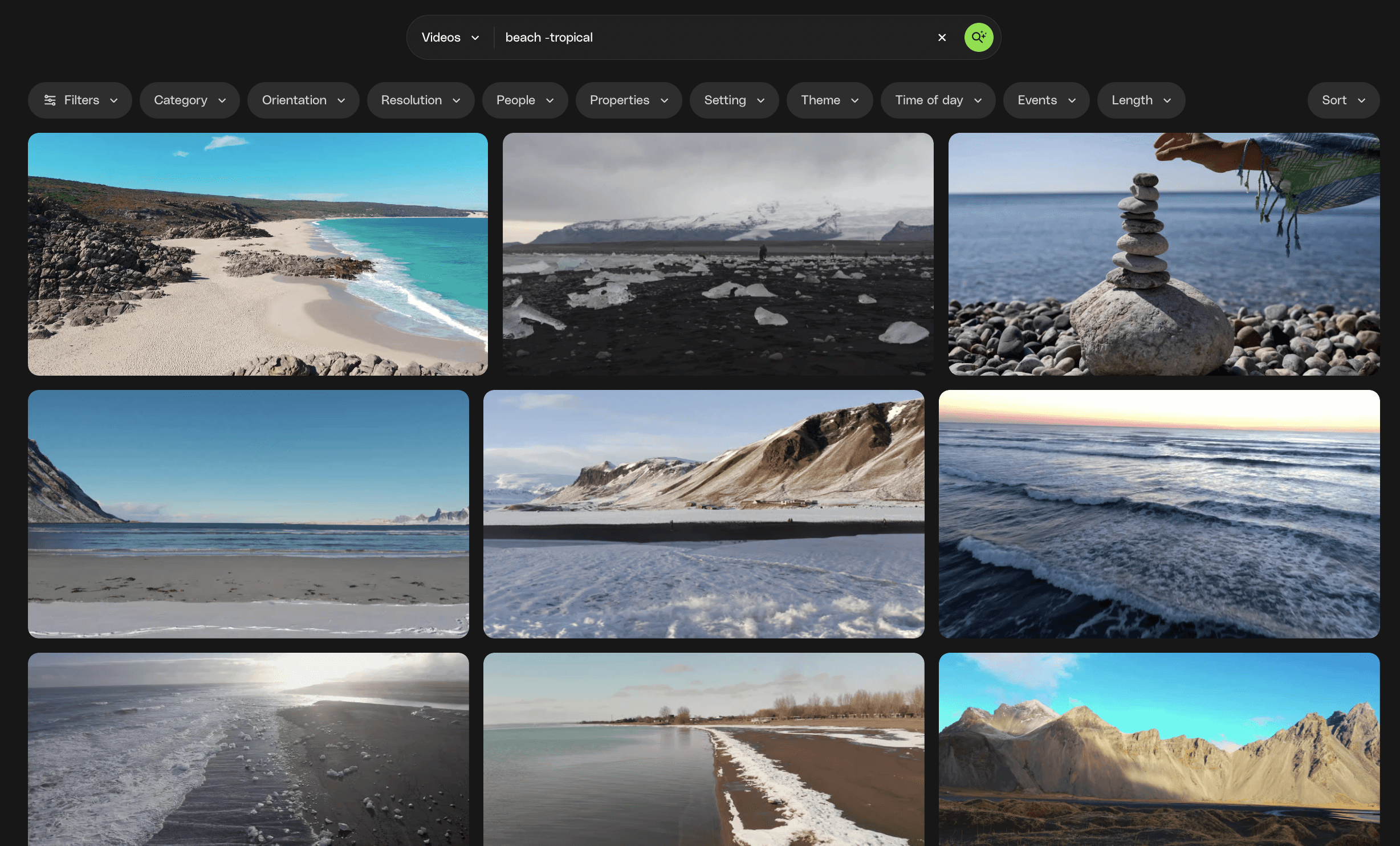
Want to fine-tune your search results? You can now use + to boost a word or phrase, or - to dial one down.
It’s a simple trick that gives you more control.
We'd love your feedback as this is an experimental feature, check it out and see what you can do. For example, beach -tropical
Improvement
Learn more
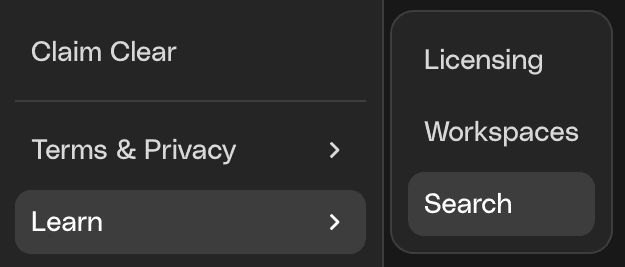
Use the new Learn menu to access more information on recent changes to licensing, Workspaces, and search, and to discover practical tips for getting the most out of these features in your projects.
New Feature
New models on MusicGen
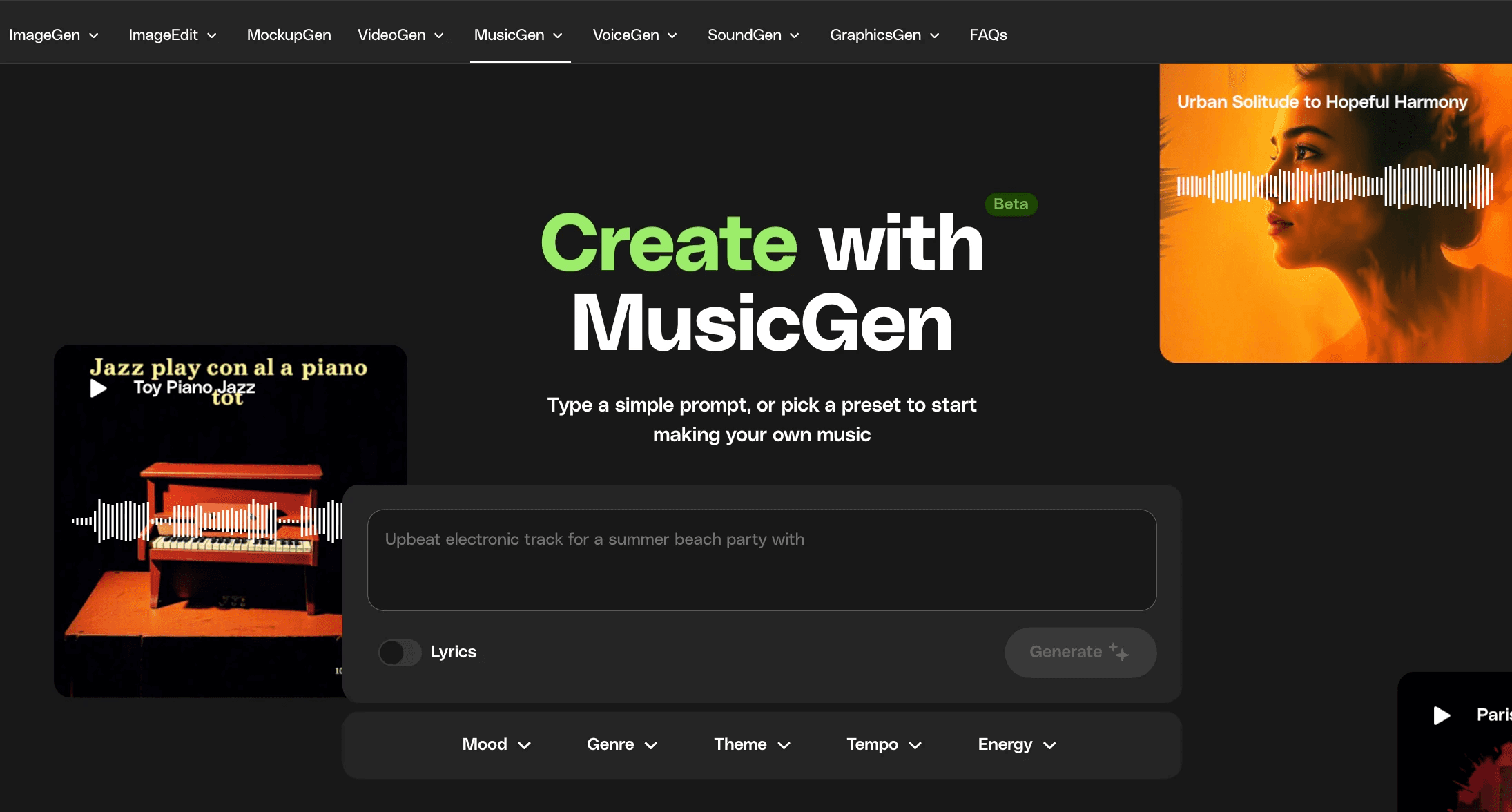
The newest models from Minimax (the amazing Music 2.5) and Mureka (v7.6, v8 and o2) have joined ElevenLabs in MusicGen.
Check out how these industry-leading models are redefining what's possible with AI generated music, including both instrumental and vocal tracks.
Improvement
Your preferences, now in one place
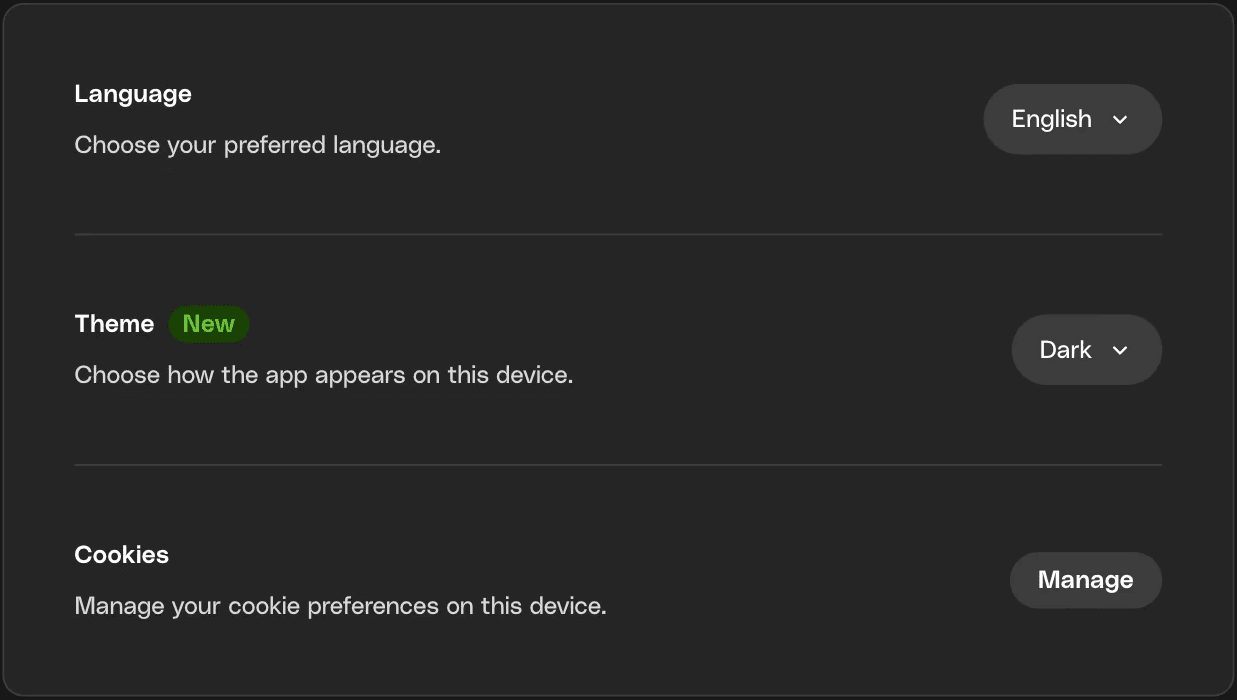
You now have a dedicated Preferences page. Here you can manage all your existing settings like licensing, cookies, theme, and language in one place.
New Feature
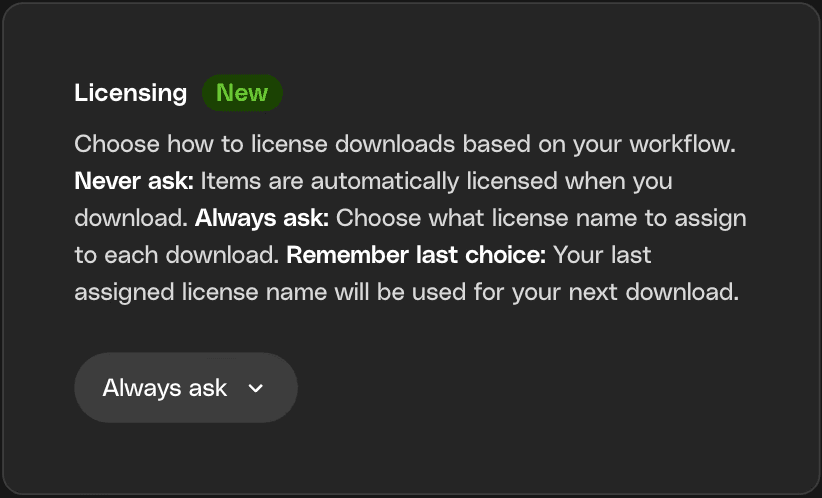
Choose how you license downloads
You now have more control over how you license your downloads. Pick the option that best fits your workflow and change it any time:
Never ask: Items are automatically licensed each time you download, so you can move fast on high-volume projects without extra steps.
Always ask: Choose which license name to assign on every download, so you can keep work clearly organised by client or project.
Remember last choice: Your last selected license name is applied to your next download, helping keeping you in that project flow.
New Feature
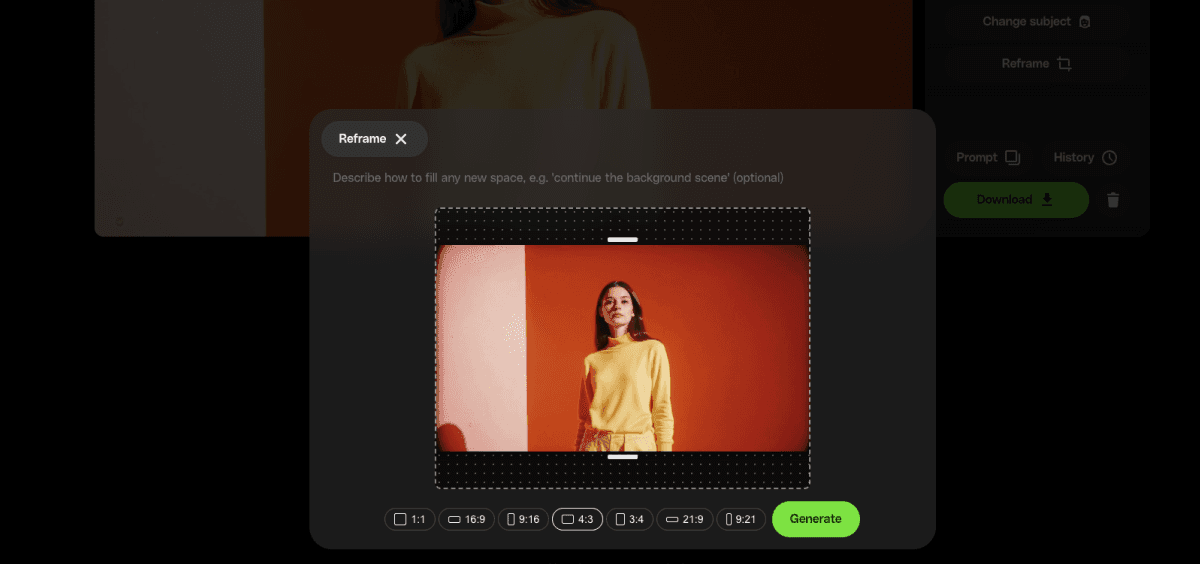
Reframe your video on VideoGen
Generate once, then adapt for every platform. Reframe lets you change the aspect ratio of any existing video, choosing from seven formats including 16:9, 9:16, 1:1, 4:3, 3:4, 21:9, and 9:21.
Rather than regenerating from scratch, Reframe gives you consistency by using intelligent outpainting to expand your video into the new aspect ratio whilst maintaining consistency with your original. You can guide the process with an optional prompt to control what appears in the new frame area, and your audio is preserved automatically.
Reframe works on both your current generation and any video in your history, so your entire library of past generations can be repurposed for new projects and platforms.
Improvement
Faster selection in Workspaces
You can now use Shift‑click within your Workspaces to select large numbers of items in one go. Making it easier and faster to grab what you need to leverage bulk actions like download, license and move.
New Feature
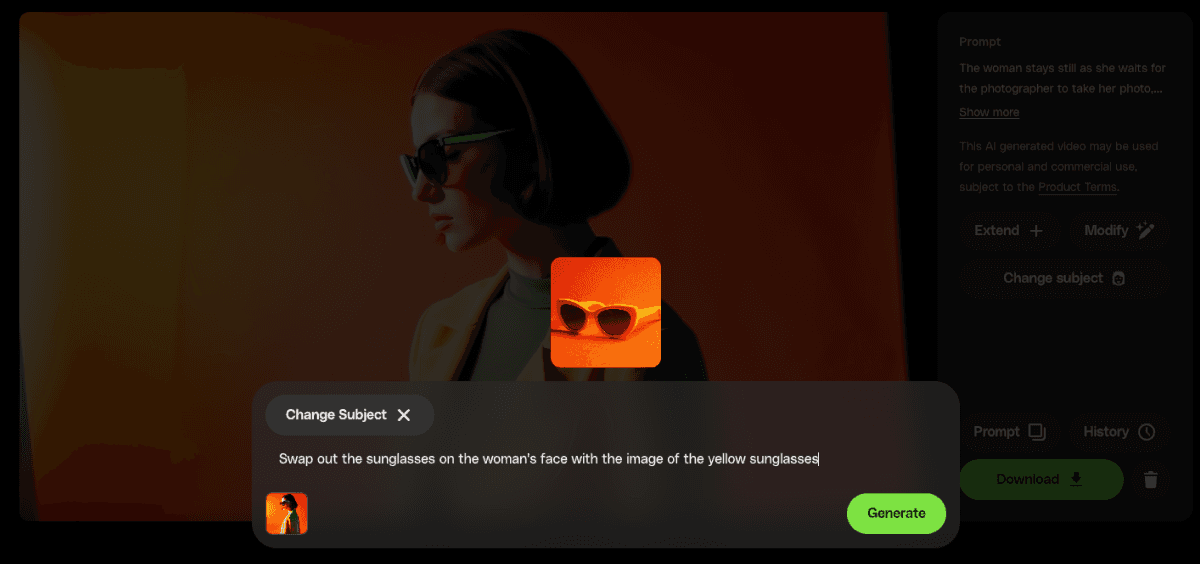
Change Subject now available on VideoGen
Swap subjects in your generated videos with a single reference image. Upload a character or object reference and describe what you want to change.
Change Subject is ideal for keeping your character consistent across every clip, swapping out products or outfits, or replacing subjects in existing footage without reshooting.
New Feature
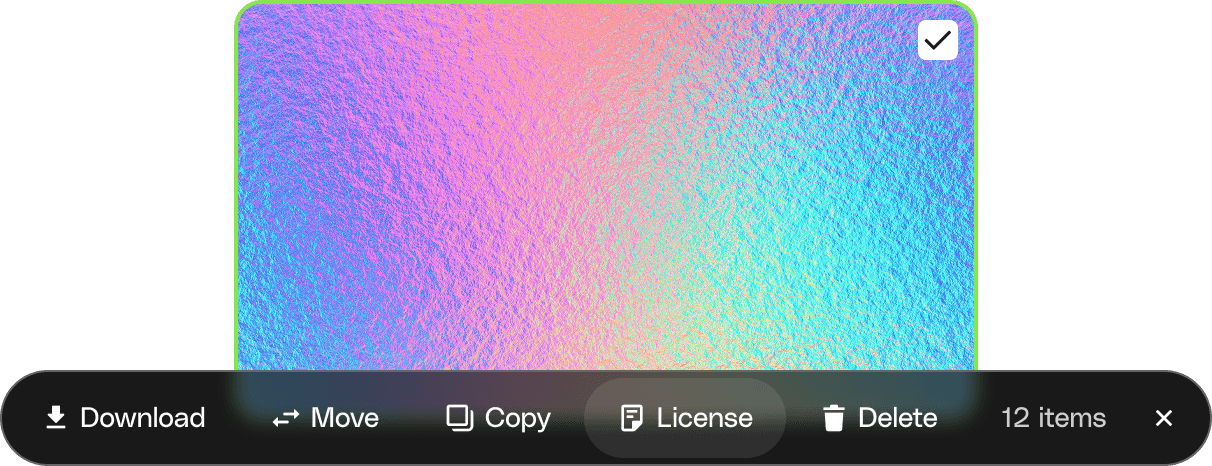
Bulk license from your Workspace
You can now bulk license assets directly from your Workspace, so you spend less time on admin and more time creating. Select multiple items, assign a license name, and download all the license certificates together in a clean zip file. Pair this with bulk move, delete, copy, and download to keep your Workspaces and licenses organised and ready for hand-off.
New Feature
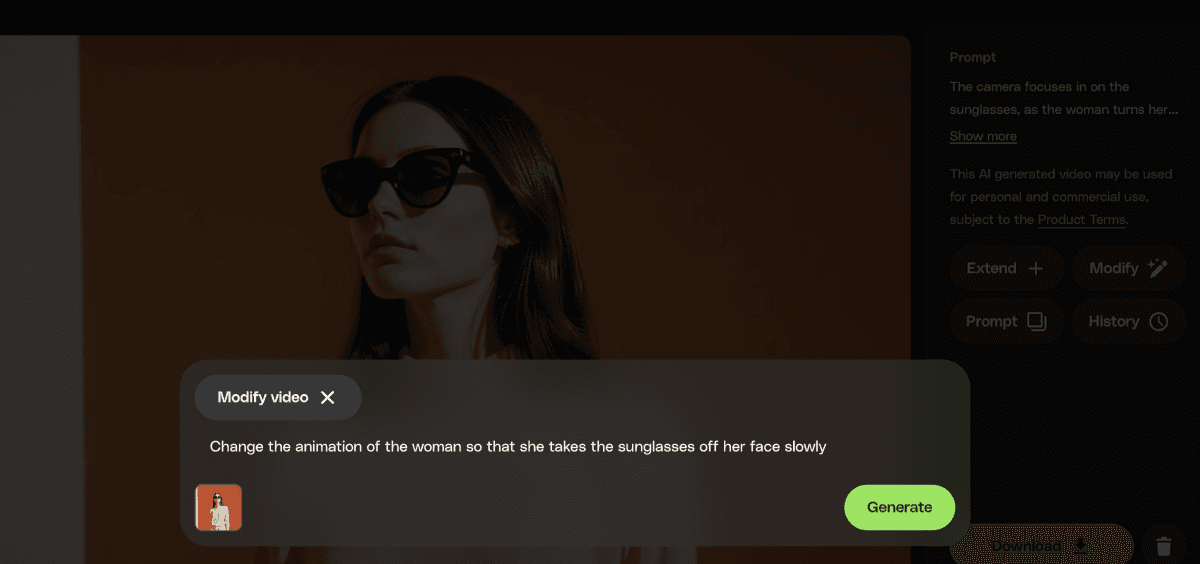
Modify your video on VideoGen
VideoGen's Edit button has evolved into Modify, giving you a smarter way to refine your video generations. Instead of regenerating from scratch, Modify uses your original video as a reference, giving more precise control over changes whilst maintaining consistency.
Describe what you want to change: lighting, scene elements, style, or camera movements, and Modify applies your instructions directly to your existing video.
What you can do with Modify:
Restyle entire videos with a single prompt
Adjust lighting, camera angle, or scene atmosphere
Tweak, add, or remove specific elements in the scene
Iterate on your creative vision without starting from scratch
New Feature
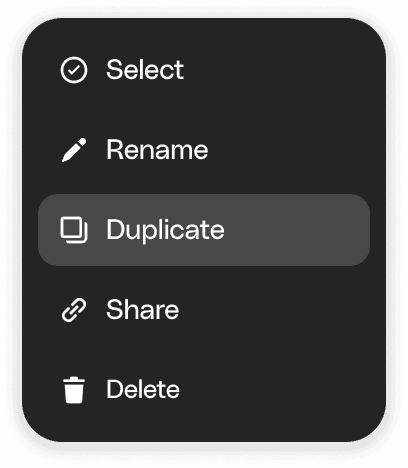
Duplicate workspaces
Turn a Workspace you already love into the starting point for a new brief with a single click.
New Feature
Runway Gen 4.5 out on VideoGen
Runway Gen 4.5 has arrived on VideoGen—a model trusted by industry leaders like Ubisoft & Adobe. With results more aligned to your intent and improved character motion, Gen 4.5 delivers professional production outputs that feel natural and authentic.
Improvement
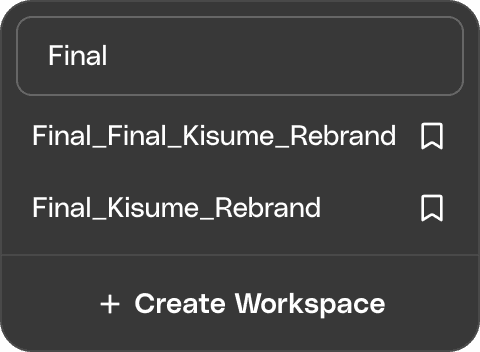
Search Workspace names
You can now search Workspace names to quickly find and save assets into the right project. No more endless scrolling.
What's new
We're constantly making Envato better. Here are the latest exciting updates.
Improvement
Search previously created license names
Reusing license names just got easier. You can now search across all your names and assign them at download.
Not in the mood to name things? No stress, you’re still fully licensed either way.
Improvement
Search by author (yes, finally)
Got a favorite creator? Now you can search by author using @name to quickly find their work.
Even better—mix and match. Search across multiple authors to explore more from the creators you trust, all in one place.
New Feature
Every generation, right where you need it
Because your best ideas shouldn’t disappear into the void. Generation History puts every AI creation in one spot, ready to revisit, refine, or take somewhere new. Think of it as your creative breadcrumb trail. Follow it back, grab what works, and keep building. Download, or save it to Workspaces to stay beautifully organised.
New Feature
Font previews are here
You can now test fonts directly onsite before downloading. Type your own text, preview different weights, and adjust the size to see if a font fits your project. No installs or external tools needed. This makes it faster to shortlist the right font for your creative projects so you only download what you’re confident you’ll use.
Improvement
Search in Workspaces
You can now quickly search your Workspaces by name. Start typing and your Workspaces will instantly filter to show matches, so you can jump straight into the Workspace you need.
Improvement
Faster access to your saved workspace
When you save to a workspace, you’ll now see a confirmation with a link to your Workspace, so you can dive straight in and stay in your creative flow.
New Feature
Luma Ray 3.14 out on VideoGen
Luma Ray 3.14 has arrived on VideoGen, providing an upgrade to Ray 3 that's 4× faster. Improved prompt adherence and fewer artefacts means that generations are more reliable and closer to what you describe.
Ray 3 is already one of the strongest models on VideoGen for cinematic quality, and Ray 3.14 makes that same quality faster and more consistent.
New Feature
More like, less like search
Beta: More like this. Less like search 🔍
Want to fine-tune your search results? You can now use + to boost a word or phrase, or - to dial one down.
It’s a simple trick that gives you more control.
We'd love your feedback as this is an experimental feature, check it out and see what you can do. For example, beach -tropical
Improvement
Learn more
Use the new Learn menu to access more information on recent changes to licensing, Workspaces, and search, and to discover practical tips for getting the most out of these features in your projects.
New Feature
New models on MusicGen
The newest models from Minimax (the amazing Music 2.5) and Mureka (v7.6, v8 and o2) have joined ElevenLabs in MusicGen.
Check out how these industry-leading models are redefining what's possible with AI generated music, including both instrumental and vocal tracks.
Improvement
Your preferences, now in one place
You now have a dedicated Preferences page. Here you can manage all your existing settings like licensing, cookies, theme, and language in one place.
New Feature
Choose how you license downloads
You now have more control over how you license your downloads. Pick the option that best fits your workflow and change it any time:
Never ask: Items are automatically licensed each time you download, so you can move fast on high-volume projects without extra steps.
Always ask: Choose which license name to assign on every download, so you can keep work clearly organised by client or project.
Remember last choice: Your last selected license name is applied to your next download, helping keeping you in that project flow.
New Feature
Reframe your video on VideoGen
Generate once, then adapt for every platform. Reframe lets you change the aspect ratio of any existing video, choosing from seven formats including 16:9, 9:16, 1:1, 4:3, 3:4, 21:9, and 9:21.
Rather than regenerating from scratch, Reframe gives you consistency by using intelligent outpainting to expand your video into the new aspect ratio whilst maintaining consistency with your original. You can guide the process with an optional prompt to control what appears in the new frame area, and your audio is preserved automatically.
Reframe works on both your current generation and any video in your history, so your entire library of past generations can be repurposed for new projects and platforms.
Improvement
Faster selection in Workspaces
You can now use Shift‑click within your Workspaces to select large numbers of items in one go. Making it easier and faster to grab what you need to leverage bulk actions like download, license and move.
New Feature
Change Subject now available on VideoGen
Swap subjects in your generated videos with a single reference image. Upload a character or object reference and describe what you want to change.
Change Subject is ideal for keeping your character consistent across every clip, swapping out products or outfits, or replacing subjects in existing footage without reshooting.
New Feature
Bulk license from your Workspace
You can now bulk license assets directly from your Workspace, so you spend less time on admin and more time creating. Select multiple items, assign a license name, and download all the license certificates together in a clean zip file. Pair this with bulk move, delete, copy, and download to keep your Workspaces and licenses organised and ready for hand-off.
New Feature
Modify your video on VideoGen
VideoGen's Edit button has evolved into Modify, giving you a smarter way to refine your video generations. Instead of regenerating from scratch, Modify uses your original video as a reference, giving more precise control over changes whilst maintaining consistency.
Describe what you want to change: lighting, scene elements, style, or camera movements, and Modify applies your instructions directly to your existing video.
What you can do with Modify:
Restyle entire videos with a single prompt
Adjust lighting, camera angle, or scene atmosphere
Tweak, add, or remove specific elements in the scene
Iterate on your creative vision without starting from scratch
New Feature
Duplicate workspaces
Turn a Workspace you already love into the starting point for a new brief with a single click.
New Feature
Runway Gen 4.5 out on VideoGen
Runway Gen 4.5 has arrived on VideoGen—a model trusted by industry leaders like Ubisoft & Adobe. With results more aligned to your intent and improved character motion, Gen 4.5 delivers professional production outputs that feel natural and authentic.
Improvement
Search Workspace names
You can now search Workspace names to quickly find and save assets into the right project. No more endless scrolling.